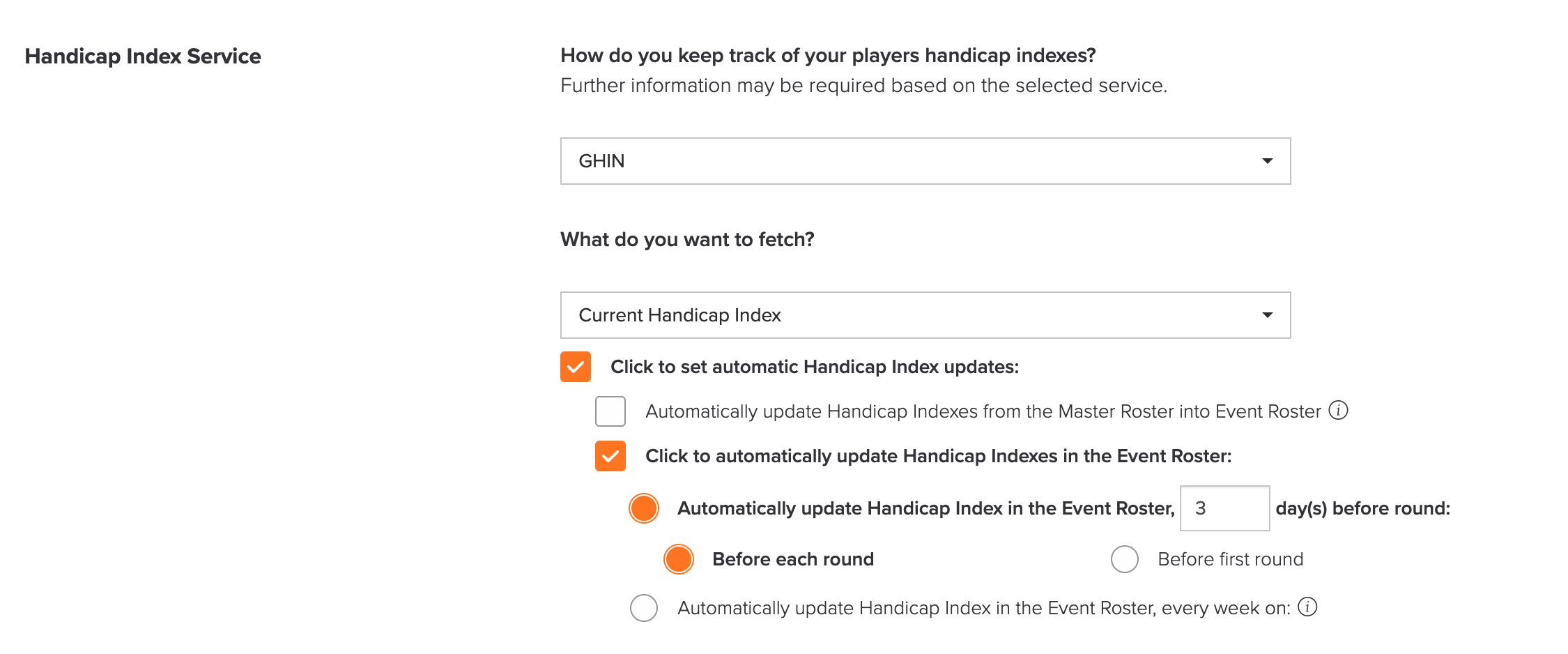
To update handicaps for an Event/League:
- Go to Golfers > Access GHIN to update Handicap Indexes.

- Select specific players or all players using the checkboxes. Additionally, you can use the search option to find players quickly.
- Select the update method. In addition to the options discussed in the previous sections, you can also retrieve Handicap Indexes using the following methods:
- Handicap Index on a specific date: Retrieve Handicap Indexes from a specific past date.
- Lowest Handicap Index over a specific date range: Select a start and end date to retrieve the lowest Handicap Index within that date range.
- If you have multiple rounds in an Event/League, select the round you would like to update Handicap Indexes for. That round and all following rounds will be updated unless updated have been turned off for that round.
- Click "Update".
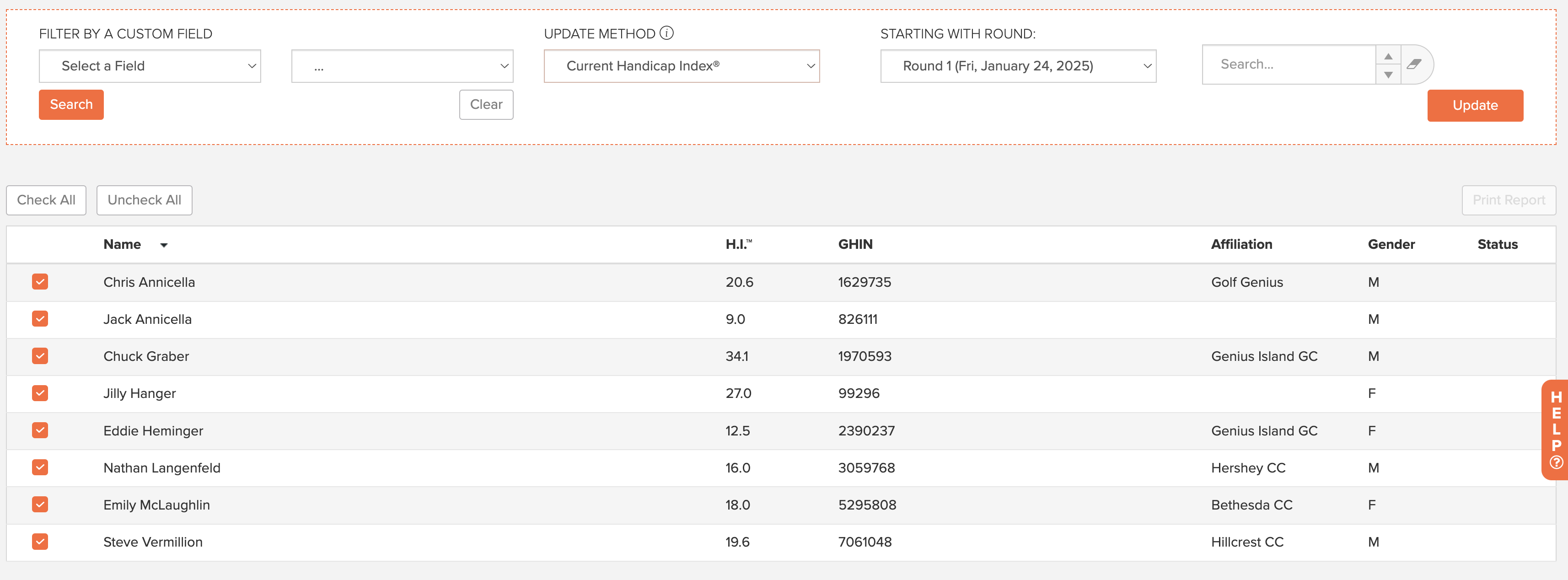
You can also adjust the settings within your Event/League profile to automatically update
Handicap Indexes on a schedule. This can be set by going to your Event/League Tab >
Event/League Profile > Handicap Settings Tab > Handicap Index Service > Check box for
automatically updating Handicap Index in the Event/League Roster.