
To correct a score posted to the Golf Handicap Information Network (GHIN), follow these steps:
1. Was the score posted today?
If you posted the score today, proceed to the next step. If the score was posted prior to today or if the score was posted by someone else, including a tournament committee, you will need to contact your Home Club to request an update to your scoring record.
2. Log in to GHIN
Log into the GHIN app or ghin.com
3. Access Your Scoring History
- On the App, select "Stats" in the menu at the bottom of the display.
- At ghin.com, select "View All Stats"

4. Select the Score to Delete
-
Only scores in the Recent Scores section are eligible to be deleted.

5. Delete the Score
-
Tap/Click/Select "Delete round"
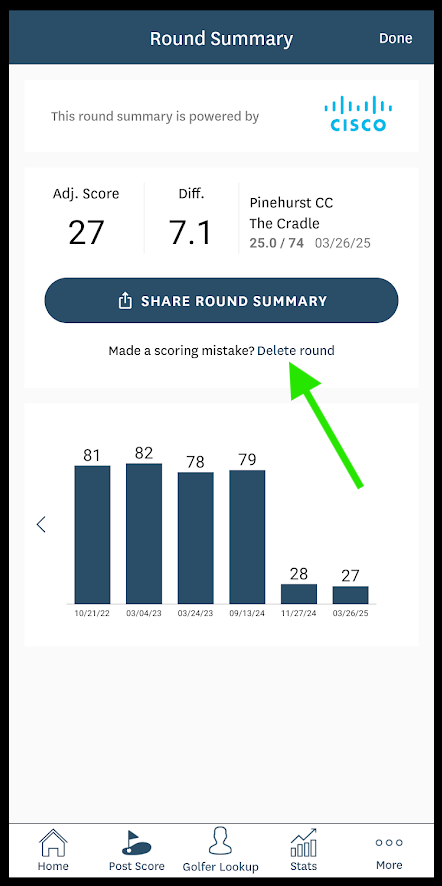
- Confirm deletion of the score by selecting "Delete Round"

- The round will then display as "Deleted"

6. Repost the Correct Score
7. Inform Your Handicap Committee
As a best practice, you will want to inform your Handicap Committee of the changes your made to your scoring record.