Skip to content
English
  • There are no suggestions because the search field is empty.

How to Delete Scores on the Day of Posting

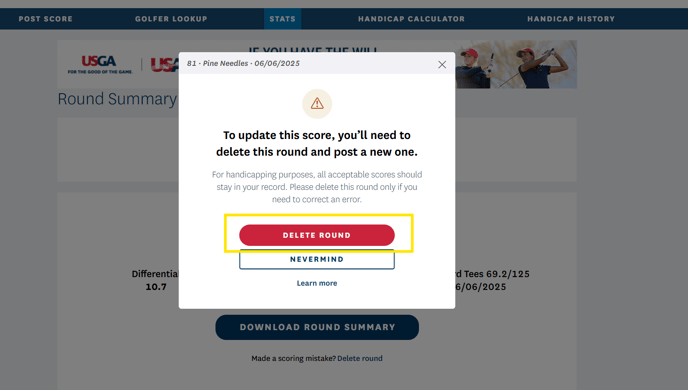
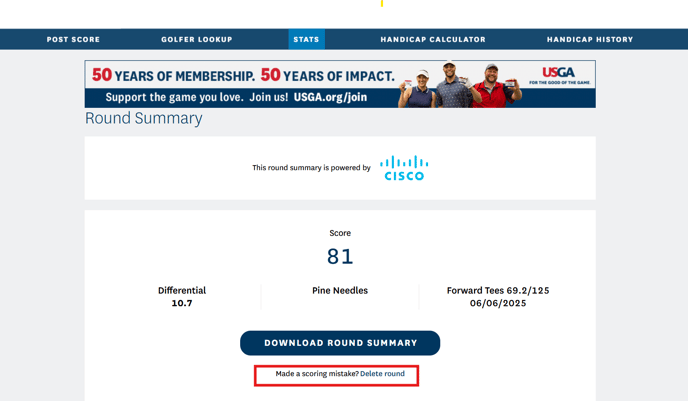
The USGA and GHIN have a feature to allow members to delete incorrect scores they post on the day of posting up until midnight. You cannot correct your score; however, you can delete the incorrect score and then re-post the correct score.

You will find the option to delete your score in one of two places:

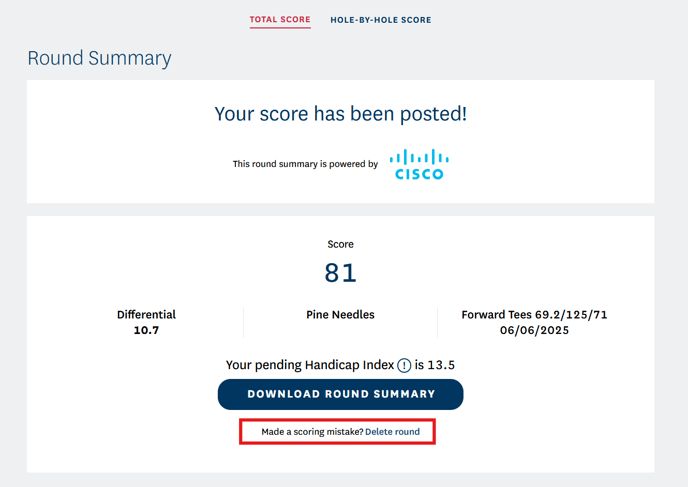
1. A link on the Posting Summary screen when you finish posting. It appears under the button to "Share Your Score."


GHIN Mobile App:
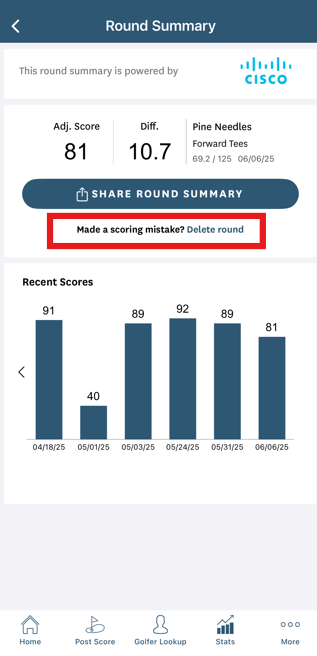
Screenshot 2025-06-06 092441


GHIN.com Website:

Screenshot 2025-06-06 093455

Screenshot 2025-06-06 111605


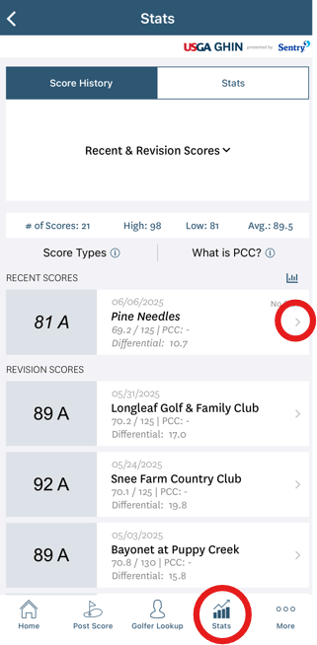
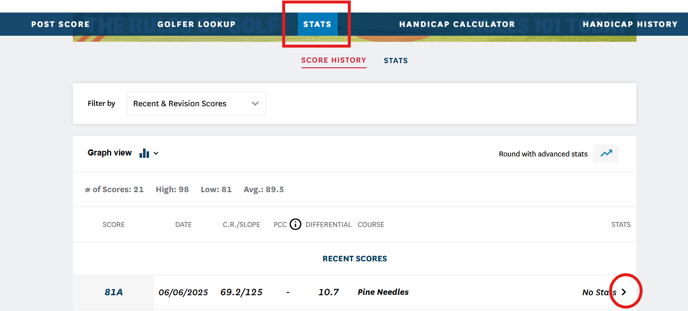
2. Find your score in the stats page under Revision and Recent Scores and click on the arrow to the right of the post to bring up the Posting Summary screen. The link to delete your score appears under the button to "Share Your Score."


GHIN Mobile App:
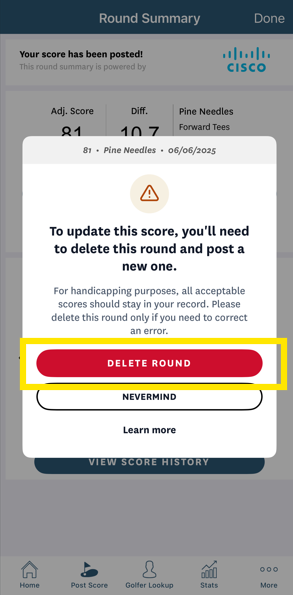
Screenshot 2025-06-06 092441

Screenshot 2025-06-06 092547


image-png-Jun-06-2025-03-11-14-9074-PM


GHIN.com Website:

Screenshot 2025-06-06 093540Screenshot 2025-06-06 094011Screenshot 2025-06-06 111605