
Your March 1 CGA Billing Invoice included all active golfers on your club's handicap roster as of February 28. To view the list of golfers your club was billed for, please see the instructions below:
1. Login to your club's GHIN Admin Portal using your Admin credentials.
2. From the Admin Portal homepage, click the Reports tab along the dark blue menu bar at the top of your screen.
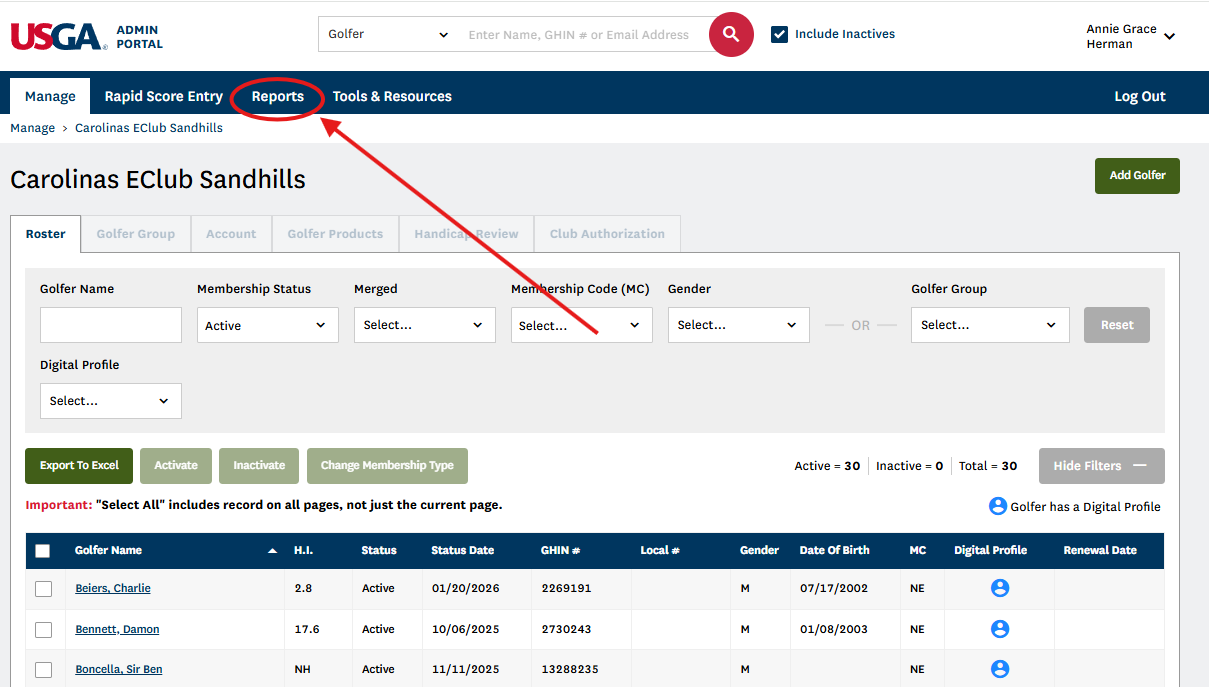
3. Click the Templates tab.
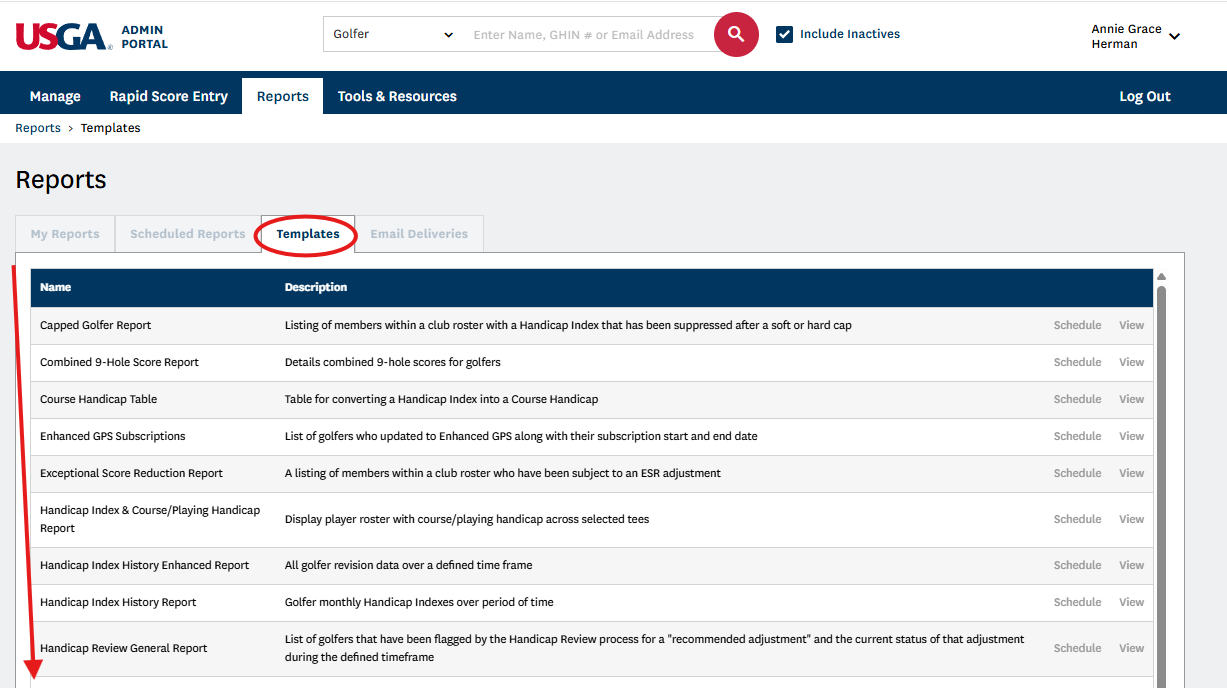
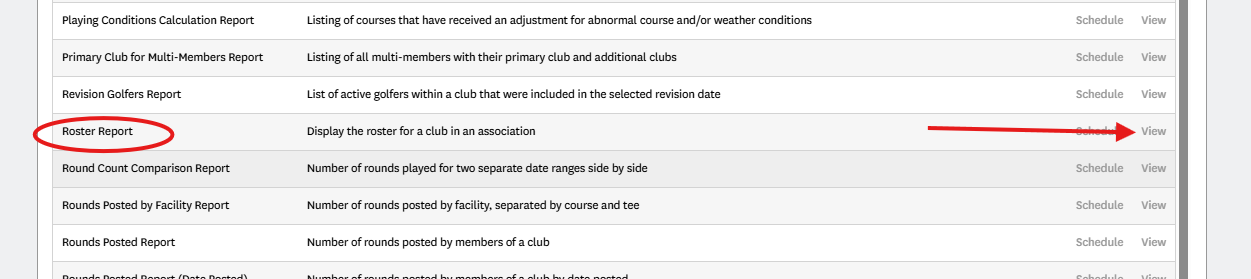
4. Locate the report titled "Roster Report" and click View to the right of the report.
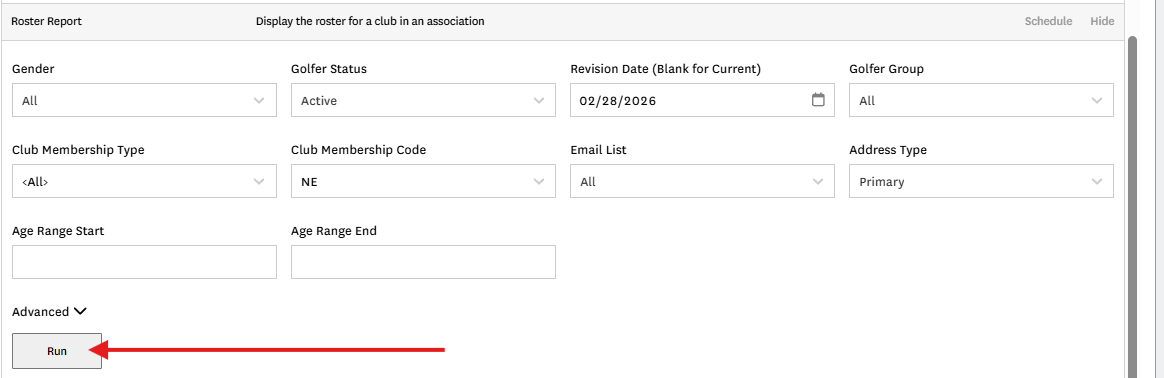
5. Set the report criteria as such:
-
Change the Effective Date to February 28
-
Change the Club Membership Code dropdown to include only the adult membership code used at your club (ex. uncheck "Select all", "Without" and any Membership Code with 'J' included)
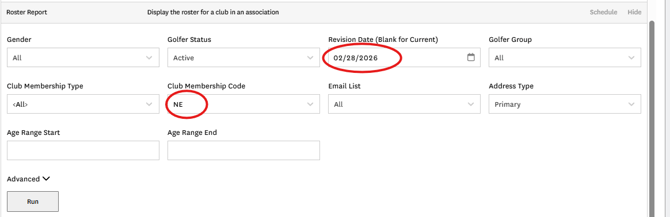
6. Click Run.
If you have any questions, please contact the CGA Member Services Department at gasc@carolinasgolf.org or 910-687-4040.