
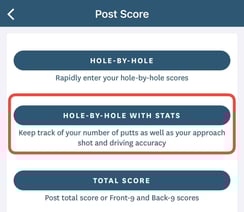
To use GHIN's Performance Stats feature, you will need to select the Hole-by-Hole with Stats option when posting a score.
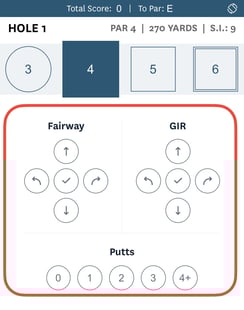
For each hole played, you will input your Driving Accuracy, Approach Shot Accuracy and Number of Putts.
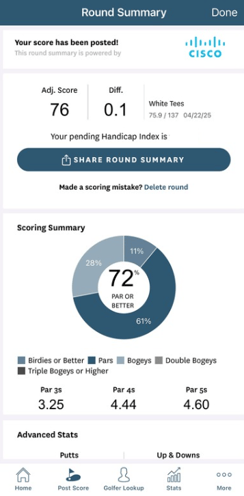
Once the round is completed and you have posted your score, your Round Summary with stats will show.
You can view your Performance Stats on the GHIN Mobile App by clicking the Stats option in the bottom toolbar. You can filter your Stats by year, course played or round type. The Stats summary page defaults to your Recent & Revision Scores, showing stats from the most recent 20 scores posted with stats in your scoring record.

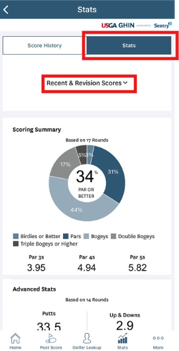
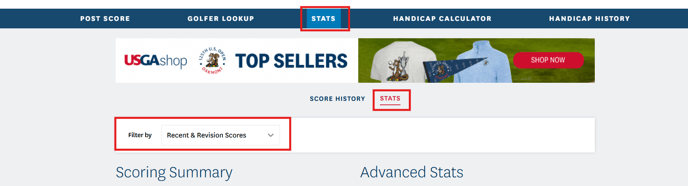
If you would like to view your Performance Stats on the GHIN.com website, you may do so by clicking the Stats option in the top toolbar. You can filter your Stats by year, course played or round type.
If you have any questions regarding your GHIN stats, please contact CGA Member Services at 910-687-4040 or gasc@carolinasgolf.org.