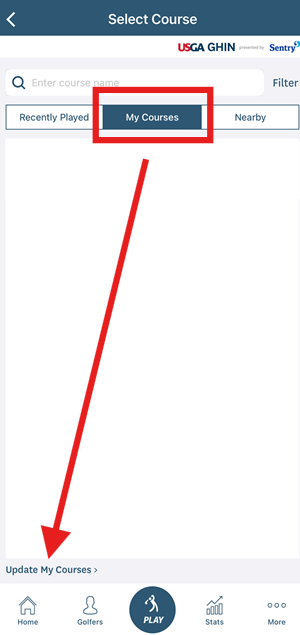
You can access and edit your courses by clicking the red "POST SCORE" button on your homepage. From there you will click the "My Courses" tab in the middle and "Update My Courses" in the lower left corner.
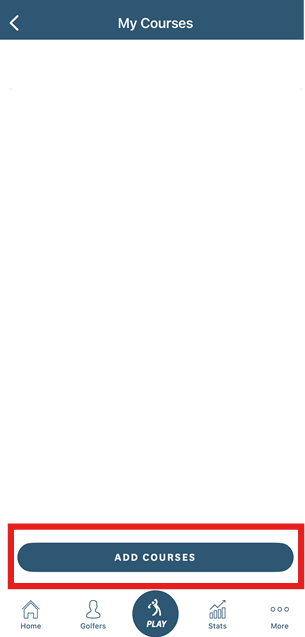
Click the "Add Courses" button at the bottom of your screen.
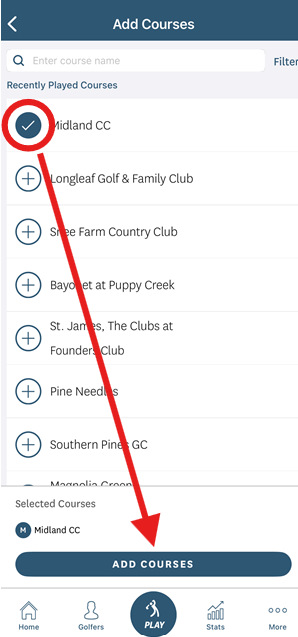
Search your course(s) and click the + button to the left of the course and then click the "Add Courses" button at the bottom of your screen. A pop-up will appear asking if you would like to set a default tee for the selected course.
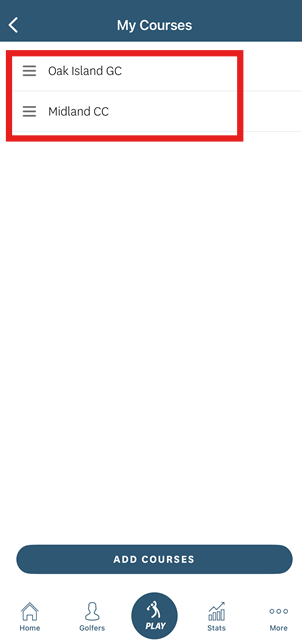
Once you have added your course, the course will appear under the "My Courses" section.