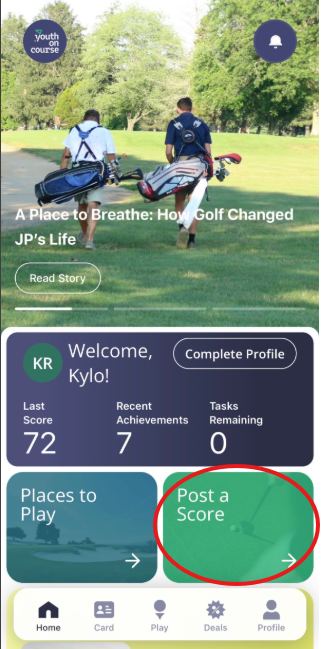
For Youth on Course members that do not use the GHIN app to record their scores, you can log your rounds on the Youth on Course app!
For Golf With Us members that need to report a round for their membership to be activated (receive a GHIN number and full member benefits to the Carolinas Golf Association), follow these steps:
- Download the Youth on Course app
- Using the "Play" button, input your information and complete the Round survey to let Youth on Course know you're ready to activate!
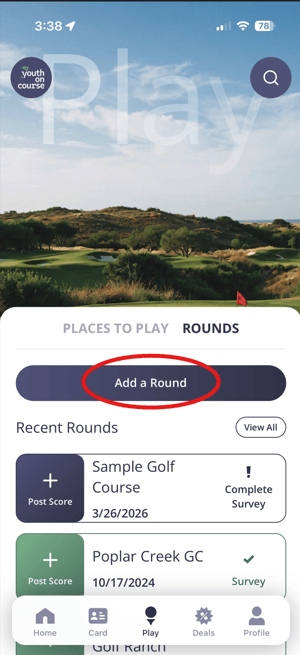
OR