
To update personal information in your GHIN profile, log in to your GHIN account.
At GHIN.com:
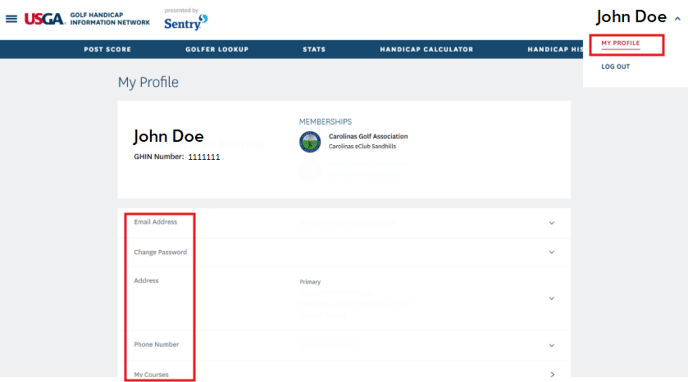
Click your name in the upper right corner of the screen and select "My Profile" on the dropdown. This will take you to a page to update your personal information.
On the GHIN Mobile App:
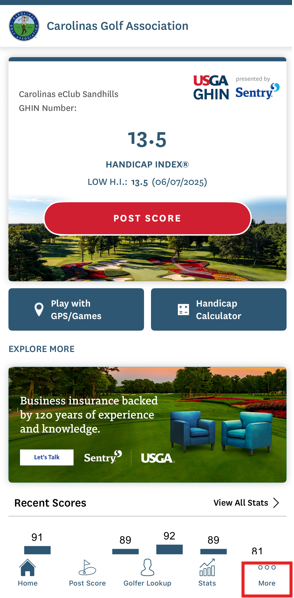
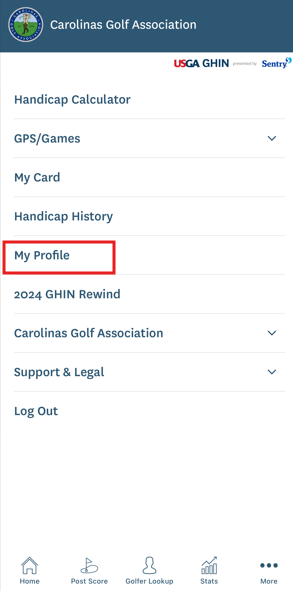
Click the "More" option on the lower right corner of your screen. Select "My Profile" from the list and update your personal information.
If you have any questions, please contact the CGA Member Services Department at 910-687-4040.