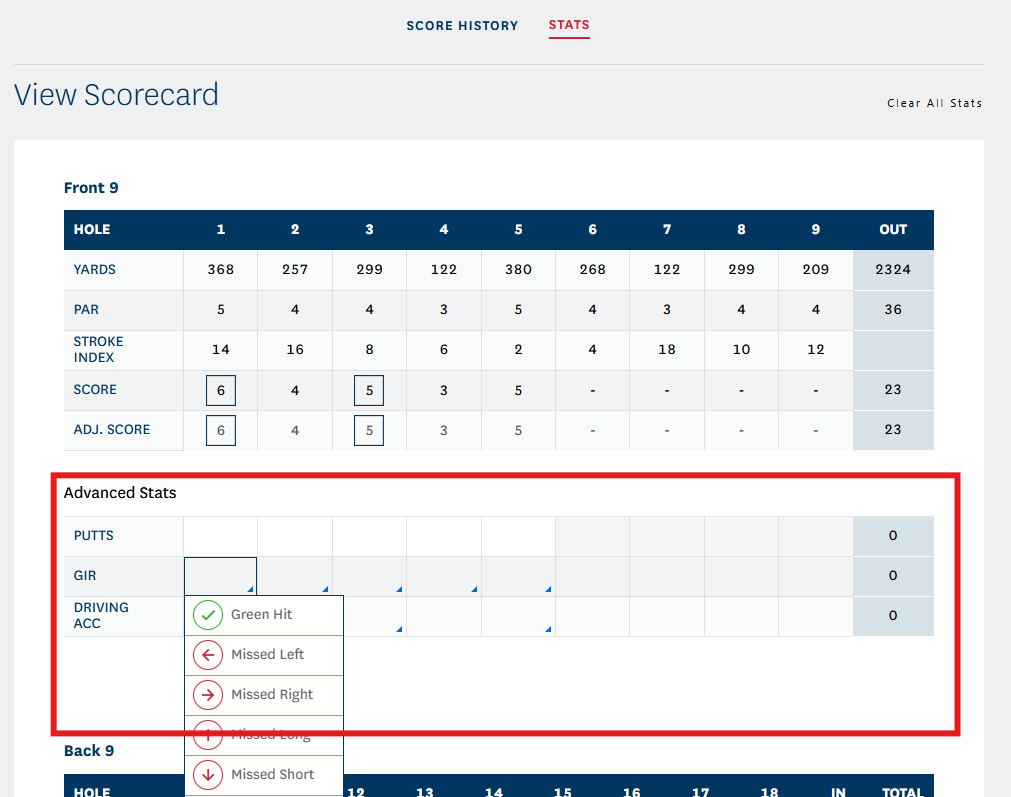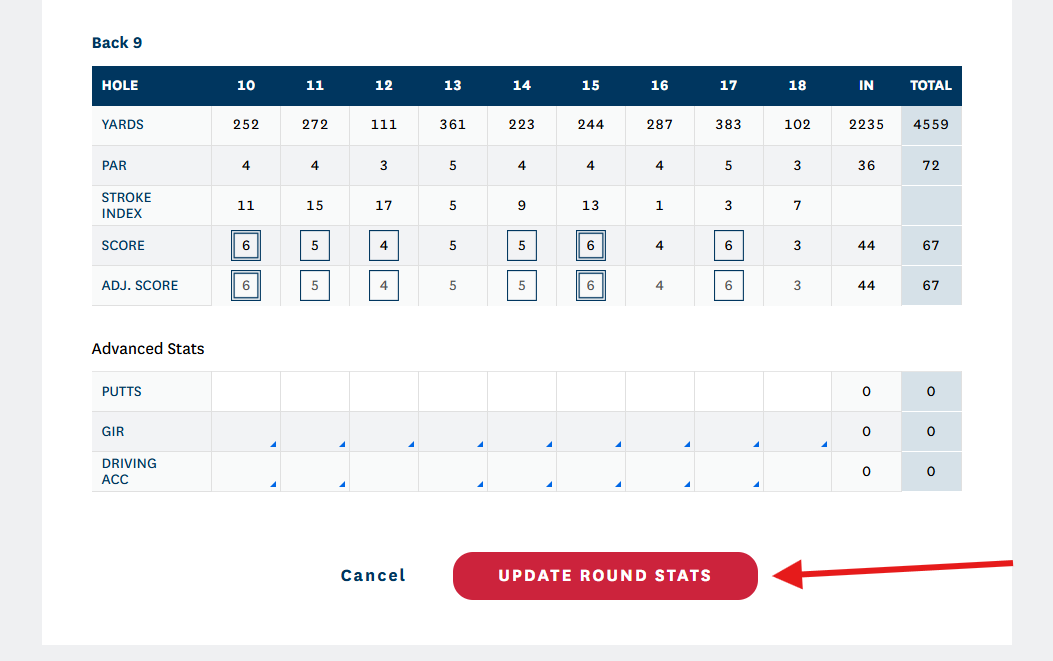
Yes, you can add/edit stats after a score is posted, but the score must be posted Hole-by-Hole!
To add Stats to a posted score on the GHIN app, click the "Stats" tab at the bottom of your screen:

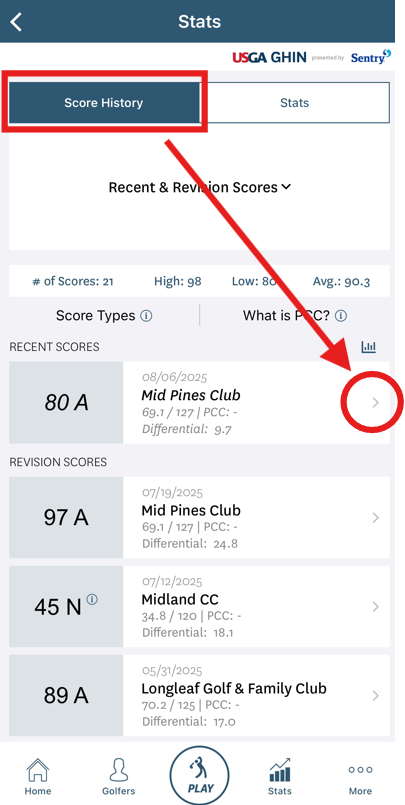
From the Stats page, click the arrow (>) next to the score you would like to add stats to:

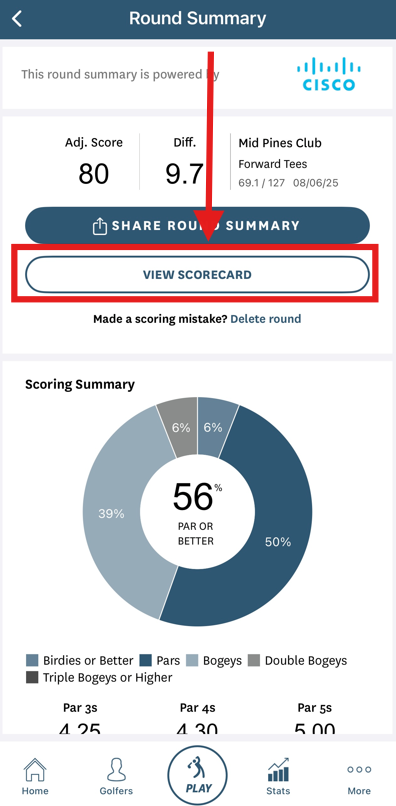
Click the "View Scorecard" button within the Round Summary:
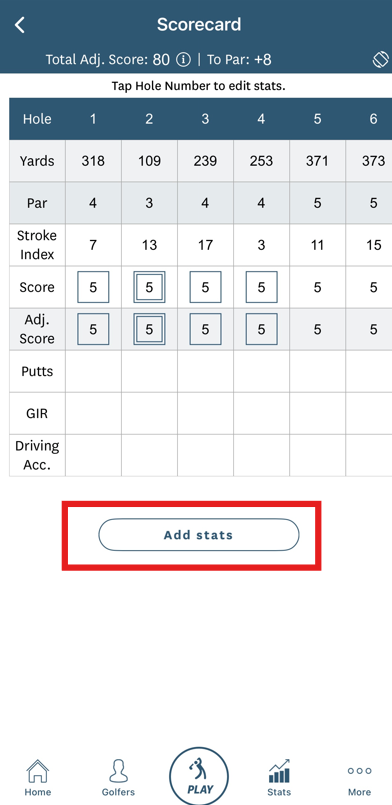
Click the "Add Stats" button below your scorecard:
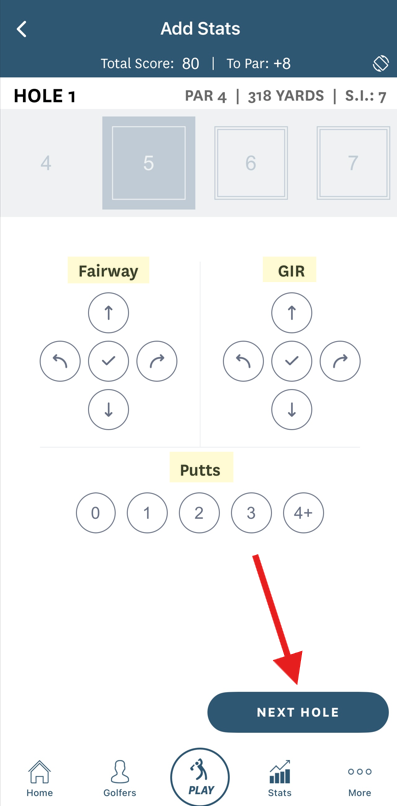
Add your stats to each hole and click the "Next Hole" button until stats have been added for the entire round:
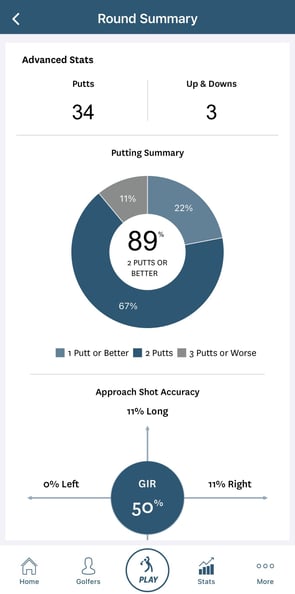
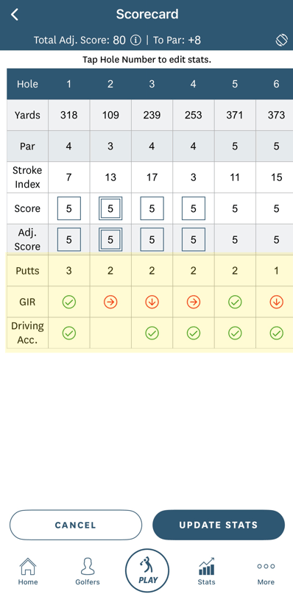
Once you have added all of your stats, they will appear on your scorecard and in your Round Summary:
--------------------------------------------------------------------------------------
To add Stats to a posted score on GHIN.com, click the "Stats" tab at the top of your screen:

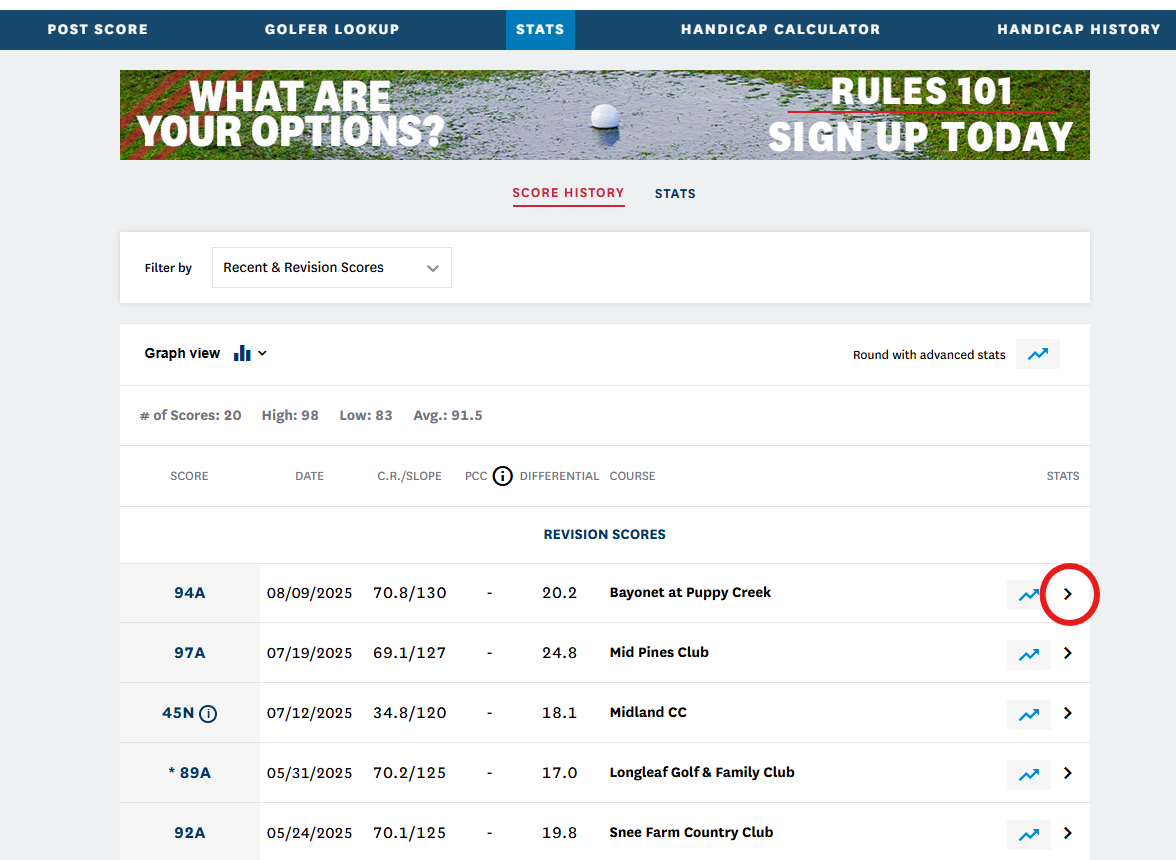
From the Stats page, click the arrow (>) next to the score you would like to add stats to:
Click the "View Scorecard" button within the Round Summary:

Click within each box under the Advanced Stats section and add in your stats: