
To disable auto-renewal in your account for a Carolinas eClub, contact the CGA Member Services Department at 910-687-4040 or gasc@carolinasgolf.org.
--
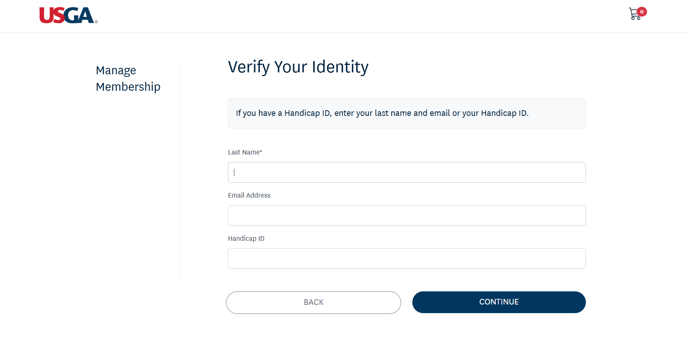
If you are a member of the USGA/Carolinas GC, you can disable auto-renewal in the Manage Membership portal. You will need to verify your identity by providing your last name and either email address or GHIN number. A verification code will be sent to your email, which will then grant you access to your membership portal.
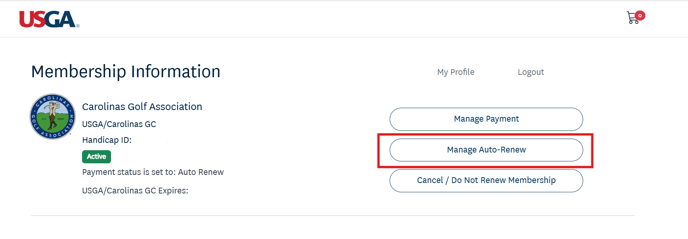
Once you are in the Manage Membership portal, click the "Manage Auto-Renew" button on the right.
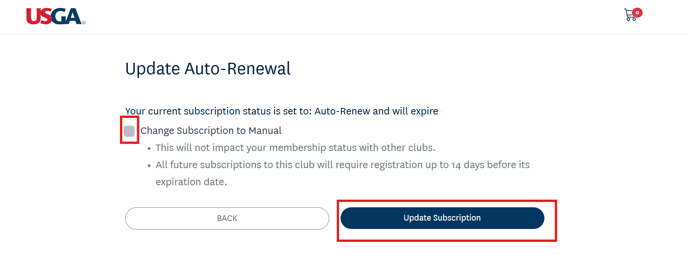
Check the "Change Subscription to Manual" box and click the "Update Subscription" button to disable auto-renewal in your account.
If you have any questions, please contact the CGA Member Services Department at 910-687-4040.